If you’ve ever stared at a blurry, laggy security camera feed that cuts out right when you need it most, odds are the connection holding it back is way messier than it needs to be. I’ve been selling data comm cables for a decade now, and one question I get almost every week is: “Do I really need a fancy special cable for my security camera? Can’t I just use whatever’s lying around?” Short answer: No. Not if you want a feed that doesn’t freeze mid-break-in, miss a license plate, or die when it rains. Let me break down exactly how to use a data communication cable for security cameras—no jargon, no confusion, just real stuff I’ve seen installers and DIYers mess up over the years. Data Communication Cable
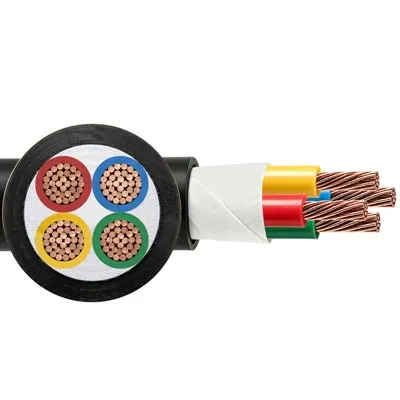
First, let’s start with why data comm cables aren’t just “wires.” A lot of folks mix up these cables with the random extension cords or old Ethernet cables they dug out of the garage. Here’s the thing: Security cameras aren’t just sending power—they’re sending high-res video, audio, and even motion alerts that need to travel far without losing quality. Data comm cables (think Cat5e, Cat6, Cat6A, the stuff we supply) are built to handle that. Unlike basic Ethernet, which might only work for a few hundred feet, data comm cables are tested for consistent signal over longer runs, and most have shielding to block interference from things like power lines or nearby Wi-Fi routers that would mess up your camera feed. I’ve had a guy come back to me last month yelling that his new camera kept lagging—turns out he used a cheap, unshielded Cat5 cable next to his house’s power line. Swapping in a data comm Cat5e fixed it instantly. That’s the kind of thing no one tells you when you’re scrolling Amazon for “security camera cables.”
Now, let’s get to the basics: which cable to pick, depending on your camera setup. Most security cameras today fall into two camps: PoE (Power over Ethernet) and non-PoE. PoE is the big one right now—it sends both power and data over the same cable, so you don’t need a separate power adapter for each camera. For PoE cameras, Cat5e is the sweet spot for most small businesses or home setups. It’s cheap, works up to 100 meters (that’s ~328 feet, which is enough for most backyards, small offices, or storefronts), and handles 1080p or even 4K video without breaking a sweat. If you’re running a larger space—like a warehouse with cameras 150 feet away from your NVR (the recorder that stores footage)—go for Cat6. It’s thicker, has better shielding, and can handle longer runs, plus it’s future-proof if you ever upgrade to 8K cameras down the line. Cat6A is overkill for most people, but if you need runs over 328 feet (like a multi-story building or a large parking lot), that’s the way to go. I always tell customers: don’t skimp on the cable. I’d rather sell you a $15 extra Cat6 that works than a $10 Cat5 that dies in 6 months.
Next, the step-by-step setup—let’s make this doable, even if you’re not an electrician. First, prep your gear: you’ll need the data comm cable (obvi), an NVR (network video recorder), your security cameras, an Ethernet crimp tool, RJ45 connectors, a cable tester (trust me, you need this), and a pair of wire strippers. Here’s how it goes:
-
Plan your route first. Don’t just run the cable randomly. Keep it away from power lines, HVAC ducts, or anything that can cause interference. If it has to go through a wall or ceiling, use cable conduits to protect it from nails, moisture, or pests. Last year, a restaurant owner in Atlanta told me his camera cut out because a mouse chewed through his cheap cable. We ran Cat6 in a conduit, and he hasn’t had an issue since. Also, measure the distance between your camera and NVR—add 10 extra feet for slack (you’ll need that to connect the connectors) and never exceed the max length for your cable (100m for Cat5e, 100m for Cat6, 100m for Cat6A—wait, is that a typo? No, actually, even higher-grade data comm cables top out at ~328 feet without a repeater. If you need more than that, you’ll need a media converter, but that’s a later step.)
-
Crimp your RJ45 connectors. This is the part most DIYers mess up. You need to line up the wires exactly in the order: white-orange, orange, white-green, blue, white-blue, green, white-brown, brown. Don’t mix the blue and green pairs— that’s a quick way to get signal loss. Strip about an inch of the outer jacket off the cable, fan out the wires, line them straight, cut them to exactly ½ inch, then push them into the RJ45 connector so they hit the end. Use the crimp tool to squeeze it tight—if the connector moves, redo it. Pro tip: label each end of the cable so you know which one goes to which camera. Nothing’s worse than tracing 8 cables in a dark attic at 2 a.m. because you didn’t label.
-
Test every cable before you mount the cameras. I can’t stress this enough. Once you crimp both ends, plug the cable into your cable tester—both lights should blink in order. If not, you have a bad crimp or a wiring mistake. If you skip this, you’ll mount a camera 20 feet up, only to find the cable doesn’t work, and you have to take it down. I’ve seen that happen too many times.
-
Connect to your NVR and camera. For PoE cameras, plug one end of the data comm cable into the camera, the other into a PoE switch (or your NVR if it has built-in PoE ports). For non-PoE cameras, you’ll use the data comm cable for data, plus a separate power cable—just run the data comm cable the same way, and hook the power adapter to the camera. Once everything’s plugged in, power on the NVR, and you should see the camera feed pop up in 30 seconds or less.
Now, common mistakes that people make with data comm cables for security cameras, and how to fix them. First, using the wrong cable for the job. I mentioned this earlier, but let’s circle back: unshielded twisted pair (UTP) cables are fine for small, low-interference spaces like a home office, but if you’re running near power lines or in a high-noise area (like a factory), you need shielded twisted pair (STP) data comm cables. The shielding blocks that interference, so your feed doesn’t get fuzzy. Second, running cables in direct sunlight or moisture without protection. Even data comm cables aren’t all weatherproof—look for “outdoor-rated” data comm cables if you’re mounting cameras outside. They have a UV-resistant jacket, so they don’t crack in the sun, and are water-resistant. Third, too long of a run. If your camera is 350 feet from the NVR, a Cat5e will die. Add a media converter halfway, or upgrade to fiber optic data comm cables. Fiber is great for long runs—up to a few miles— and it’s immune to interference, so perfect for large warehouses or outdoor lots.
Wait, what about wireless cameras? Can you use data comm cables for those? Sure, if you want a backup. A lot of people have wireless cameras, but their Wi-Fi cuts out when it rains or there are too many devices on the network. Running a data comm cable to a wireless access point near the camera gives you a wired connection, which is way more reliable. That’s a trick I tell store owners who have big parking lots—hardwire the access point with Cat6, and their camera feeds stay steady no matter how many customers are on Wi-Fi.
Here’s something most people don’t think about: future-proofing. If you’re installing security cameras that you plan to keep for 5+ years, don’t buy the cheapest cable. Data comm cables are the backbone of your system—you don’t want to re-run cables every time you upgrade your cameras to 4K or 8K. Cat6 or Cat6A will handle 4K video easily, and Cat6A will even handle future higher resolutions. I always recommend that to small business owners who ask about cost—spend an extra $20 on cables now, and you’ll avoid paying for re-installation later.
Now, a quick note on our side: we supply data comm cables made specifically for this kind of use. We test every roll before it leaves our warehouse, so you don’t get a dud that cuts out after a month. We have outdoor-rated options, PoE-compatible cables, and fiber runs for long distances. If you’re not sure which cable you need, just tell us your camera setup, the distance between camera and NVR, and if it’s indoor or outdoor—we’ll point you to the right one.
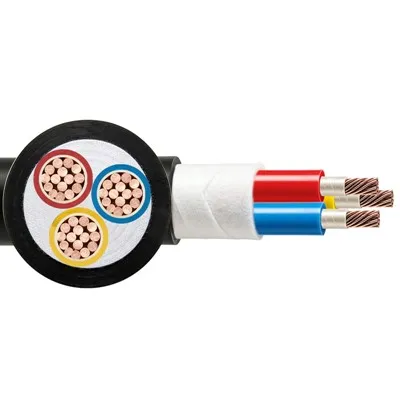
At the end of the day, using a data communication cable for your security camera isn’t rocket science, but it’s not just plug-and-play either. Skip the cheap stuff, pick the right cable for your space, prep your route, test before you mount, and you’ll have a feed that works when you need it. If you’re ready to upgrade your camera cables or have questions about what you need, get in touch with our team to chat through your project—we’re here to help you get it right, no matter how big or small.
Power Cable Low Voltage References:
- TIA/EIA-568-C.2, Commercial Building Telecommunications Cabling Standard.
- National Electrical Code (NEC) Article 725, Limited Power and Energy Circuits, for security camera wiring guidelines.
- Cat Cable Institute, “Performance Characteristics of Data Communication Cables for IP Surveillance Systems.”
- Allied Communications Industry Association (ACIA), Shielded vs. Unshielded Twisted Pair Cables for Industrial Environments.
Yangzhou Huayu Cable Co., Ltd.
Yangzhou Huayu Cable Co., Ltd. is one of the most professional data communication cable manufacturers and suppliers in China, also supports customized service with low price. Please feel free to wholesale advanced data communication cable made in China here from our factory. Contact us for pricelist.
Address: No. 9 Jingang Road, Yangzhou City, Jiangsu Province, China
E-mail: huayucableco@126.com
WebSite: https://www.huayucabletech.com/
